
dapr: Valorant Settings, Crosshair & Gear (2023)
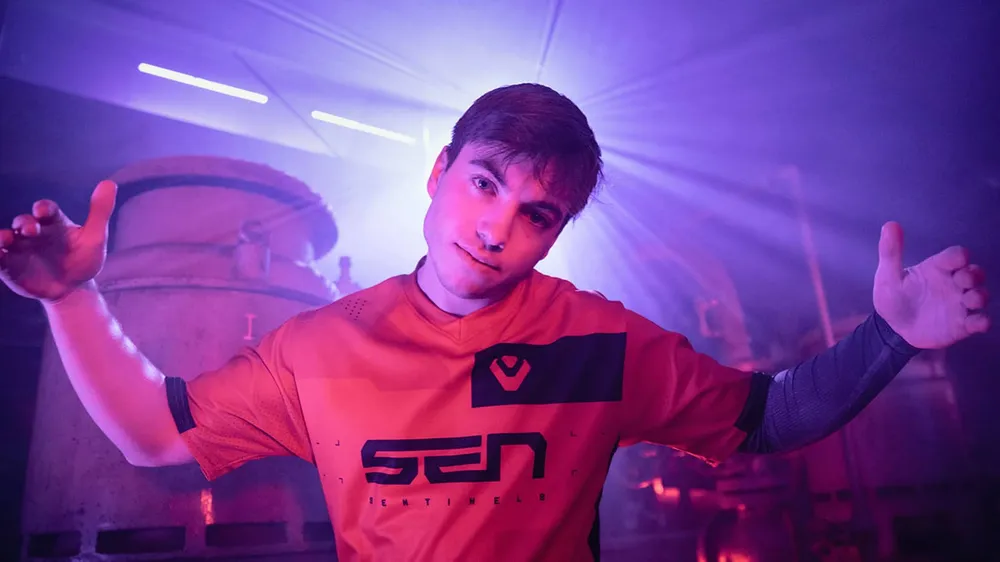
Michael "dapr" Gulino is an American player who currently plays for Sentinels. He is a former professional Counter-Strike: Global Offensive player. In CS:GO, he played in eUnited, Lazarus Esports, Team Singularity and Bad News Bears.
He transferred to VALORANT in May 2020, joining on 1st of June Sentinels. With the team, he managed to win Pop Flash and JBL Quantum Cup. The main achievement of dapr and Sentinels is the victory at VCT 2021: Stage 2 Masters - Reykjavík.
It's essential to learn about examples of pro player settings while studying the Valorant fundamentals, but we must first grasp the basics of the Valorant settings. So make sure you read our complete valorant crosshair settings guide to get started: Best Valorant crosshairs.
dapr Mouse Settings
Mouse settings are the main thing people are interested in when it comes to pro players' settings. Keep in mind, it will take some time for you to get used to new settings. So if you want to try these settings, make sure you play with them for a considerable amount of time. That's the only way you will be able to see if they are a good fit for you or not.
So let's check Michael "dapr" Gulino mouse settings:
- DPI: 400
- EDPI: 264
- Sensitivity: 0.66
- HZ: 1000
- Windows Sensitivity: 6
- Scoped Sensitivity: 1

dapr Video Settings
Like many in Valorant, dapr plays at a high resolution of 1920x1080, but with 16:10 Ratio, not 16:9. Like many pro-players, dapr put almost parameters on Low settings, and has Anti-Aliasing None and Anisotropic filter 1X. As well, he turns off Improve Clarity, Bloom, Distortion and FPP Shadows.
- Resolution: 1920x1080
- Ratio: 16:10
- Display mode: Fullscreen
- Refresh Rate: 240 HZ
- Material Quality: Low
- Texture Quality: Low
- Detail Quality: Low
- UI Quality: Low
- Vignette: Off
- Vsync: Off
- Anti-Aliasing: None
- Anisotropic filter: 1X
- Improve Clarity: Off
- Bloom: Off
- Distortion: Off
- FPP Shadows: Off

dapr Crosshair Settings
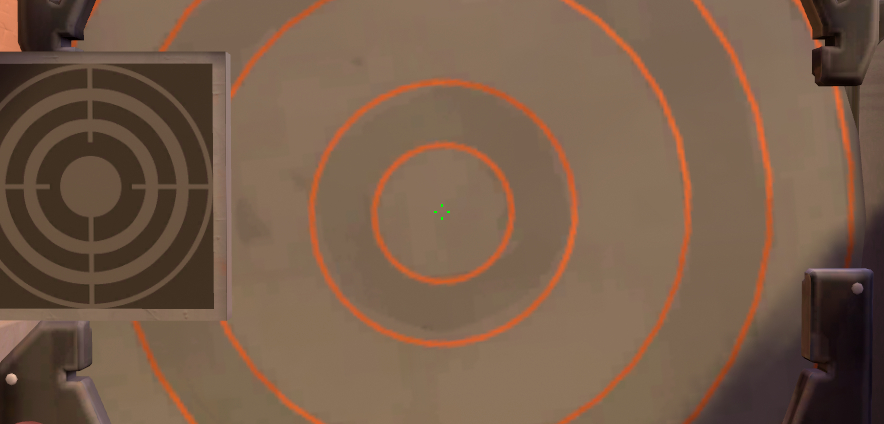
Just like the mouse settings, you will take some time before getting used to the new crosshair. However, for most people within a couple of games, will be used to the crosshair, since it is much easier to adapt to a new crosshair than to completely different mouse settings.
- Color: Green
- Outlines: Off
- Outline Opacity: 0
- Outline Thickness: 0
- Center Dot: Off
- Center Dot Opacity: 0
- Center Dot Thickness: 0
- Inner Line Opacity: 1
- Inner Line Length: 3
- Inner Line Thickness: 2
- Inner Line Offset: 5
- Outer Line Opacity: 0
- Outer Line Length: 0
- Outer Line Thickness: 0
- Outer Line Offset: 0
dapr Keybinds
- Walk – L-Shift
- Crouch – L-Ctrl
- Jump – Space Bar
- Use/Interact with Object – E
- Equip Primary Weapon – Mwheel / Down
- Equip Secondary Weapon – Mouse 5
- Equip Melee Weapon – Mouse 4
- Equip Spike – 4
- Use Ability: 1 – V
- Use Ability: 2 – 3
- Use Ability: 3 – C
- Use Ability: Ultimate – X
dapr Gear
- Mouse: Logitech G Pro Wireless
- Keyboard: Logitech Pro X
- Mousepad: ZOWIE G-SR-SE TYLOO
- Headset: HyperX Cloud II
- Monitor: BenQ XL2546K
- CPU: Intel Core i7-10700k
- GPU: Nvidia Geforce RTX 3080
- Webcam: Logitech C920
- Microphone: Shure SM7B
All images rights belong to Riot Games Valorant, Logitech.


