Ocarina of Time Switch 2 Controls: How to Remap C-Buttons and Fix Input Lag
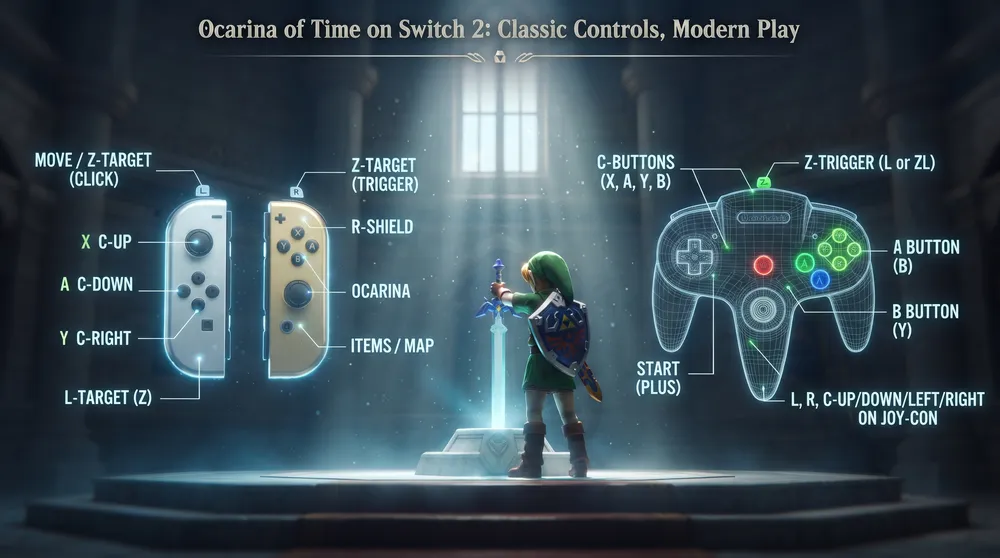
The Nintendo 64 library remains a flagship draw for Nintendo Switch Online members, and The Legend of Zelda: Ocarina of Time is its crown jewel. However, transitioning a game originally built around the trident-shaped N64 controller to modern dual-analog hardware has puzzled players for generations, causing searches for ocarina of time switch 2 controls to surge as retro enthusiasts migrate to updated hardware.
Here is the complete guide to mastering the control layout, remapping the C-button cluster, and minimizing input response delays for Ocarina of Time on Switch 2.
Default Switch Online N64 Control Scheme
By default, Nintendo maps the original N64 inputs to standard controllers using a combination of the right analog stick and secondary shoulder triggers:
-
Movement: Left Analog Stick
-
Sword Attack (B-Button): Physical Y Button
-
Context Action / Roll (A-Button): Physical B Button
-
Z-Targeting: Left Trigger (ZL or L)
-
Shield Guard (R-Button): Right Trigger (ZR or R)
-
C-Button Cluster: Mapped primarily to the Right Analog Stick (flicking Up, Down, Left, or Right), with secondary access holding the ZR Button while pressing physical face buttons (X, Y, A, B).
The C-Button Problem and How to Remap
The most frustrating element of playing on standard Joy-Con or Pro Controllers is executing quick item swaps. Flicking an analog stick to play notes on the Ocarina or fire the Hookshot during boss fights lacks the instantaneous tactile feedback of the original physical buttons:
-
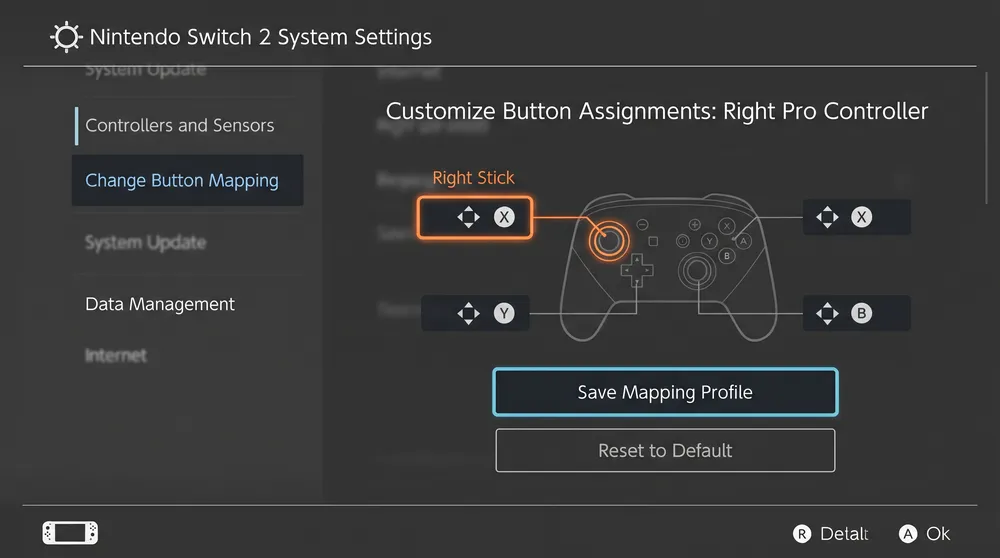
Use System-Level Button Remapping: Navigate to Switch 2 System Settings > Controllers and Sensors > Change Button Mapping.
-
Assign Items to Physical Face Buttons: Rebind the physical X Button to act as C-Right (frequently assigned to your Hookshot or Bow) and rebind A Button to act as C-Down (often reserved for the Ocarina).
-
Save as a Preset: Save this configuration as a dedicated "Zelda N64" profile in your system memory. You can toggle this preset on before launching the N64 app and revert to default controls when playing modern games.
Hardware Enhancements: Eliminating Input Lag
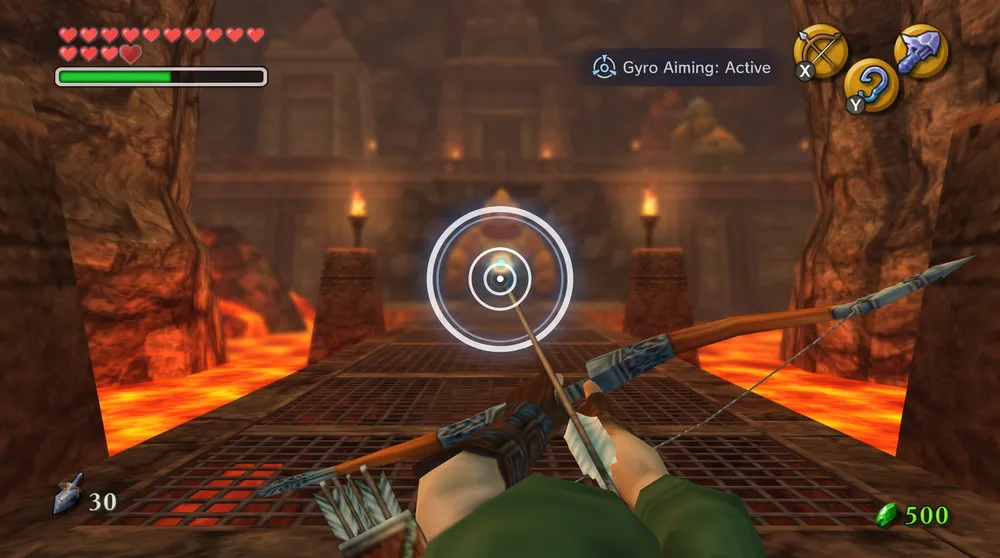
The native hardware pipeline of the Switch 2 resolves several emulation issues that plagued earlier Nintendo Switch Online releases:
-
Sub-Frame Input Latency: Upgraded Bluetooth controller polling and reduced display latency eliminate the floaty input delay that made timing defensive sword parries or playing the Sun's Song difficult on first-generation Switch hardware.
-
Stable Frame Pacing: While the game retains its authentic 20 FPS game-logic lock to preserve physics timings, the Switch 2 eliminates frame drops during water-heavy particle sequences inside the Water Temple or crowded markets in Castle Town.
-
The Dedicated N64 Controller Alternative: For purists seeking the definitive experience, pairing the official wireless Nintendo 64 controller for Switch remains the cleanest solution. It automatically bypasses modern mapping menus, giving you the authentic three-pronged grip, physical C-buttons, and authentic gate-notched analog stick out of the box.