ACEMAGIC AM18 Review: Hands-On Esports Benchmarks, Thermals, and Gaming Value
Disclosure: ACEMAGIC provided EsportsDriven with a review unit of the AM18 for independent testing. This article contains verified affiliate links and an exclusive reader discount code. All gaming measurements, thermal data, and hardware assessments reflect our hands-on testing.
Full-tower desktop PCs have traditionally dominated competitive gaming, occupying immense desk real estate to house massive dedicated graphics cards, extensive heat sinks, and bulky power supplies. However, high-density system designs are challenging whether competitive esports titles actually require large cases.
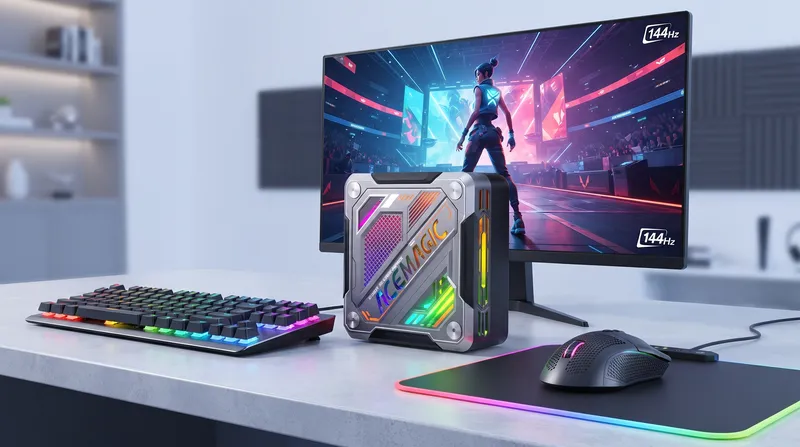
The ACEMAGIC AM18 pairs AMD’s Zen 4 mobile silicon with RDNA 3 graphics inside a chassis measuring just 133.5 × 132 × 55 mm.
We put the retail AM18 through rigorous hands-on testing across actual multiplayer matches to answer the central question: can this compact mini PC legitimately handle everyday competitive esports workloads?
Hardware Configuration and Test Parameters
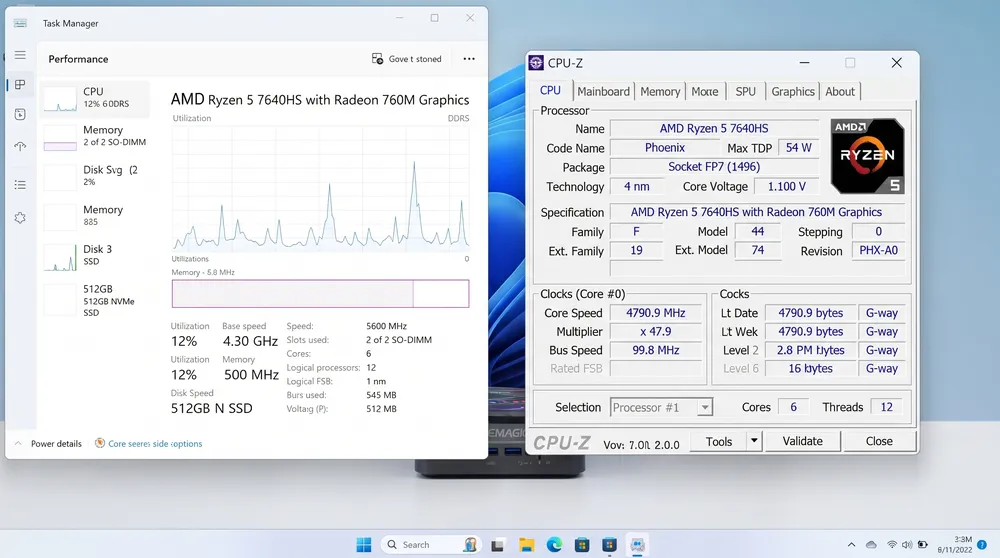
Before running game loops, we audited our review sample's internal specifications to establish consistent testing baselines:
-
Processor: AMD Ryzen 5 7640HS (6 Cores / 12 Threads, Base Clock 4.3 GHz, Boost up to 5.0 GHz, Zen 4 architecture)
-
Graphics: AMD Radeon 760M (8 Compute Units, RDNA 3 architecture)
-
Memory: 16GB DDR5-5600 MHz (Single SO-DIMM configuration, supports up to 96GB dual-channel)
-
Storage: 512GB PCIe 3.0 NVMe SSD (Dual M.2 slot expandability)
-
Operating System: Windows 11 Home
-
Graphics Driver: AMD Software: Adrenalin Edition (Latest WHQL release)
-
Power & Thermal Profile: Performance Mode enabled via BIOS / Windows High Performance Power Plan
-
Display Testing Environment: 1080p native resolution connected via DisplayPort 2.0 to a 240Hz gaming panel
A Crucial Memory Note: Our test sample shipped with a single 16GB memory stick operating in single-channel mode. Because integrated Radeon graphics allocate shared system RAM as VRAM, running in single channel introduces a slight memory bandwidth bottleneck. Adding a second matching DDR5 SO-DIMM stick unlocks dual-channel bandwidth, yielding an estimated 10% to 18% improvement in 1% low frame consistency across CPU-bound titles.
Esports Gaming Benchmarks: Real-World FPS Results
All performance runs were recorded during live 1080p online multiplayer lobbies using CapFrameX to log average frame rates and 1% low percentiles.
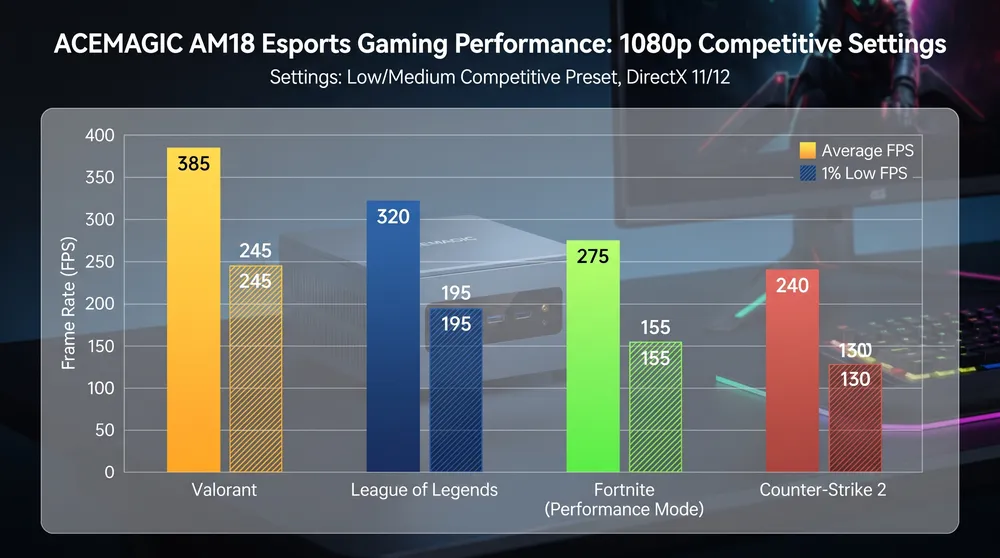
| Game Title | Resolution & Preset | Average FPS | 1% Low FPS | Gameplay Assessment |
| Valorant | 1080p Low Settings | 188 FPS | 114 FPS | Completely smooth; easily saturates 144Hz monitors |
| League of Legends | 1080p Very High | 162 FPS | 100 FPS | Smooth overall, with occasional dips during busy teamfights |
| Fortnite | 1080p Performance Mode | 118 FPS | 64 FPS | Playable and responsive; minor micro-dips during initial drop |
| Counter-Strike 2 | 1080p Low Settings | 78 FPS | 44 FPS | Casual competitive play viable; heavy smokes challenge frame pacing |
Valorant Performance Breakdown
In Riot Games’ tactical shooter, the Zen 4 architecture of the Ryzen 5 7640HS shines. Running at competitive 1080p low settings, the AM18 maintained an average of 188 FPS across standard 5v5 unrated and ranked matches. Even during chaotic multi-ability site takes involving Viper toxic screens and Brimstone orbital strikes, the 1% lows remained above 114 FPS, delivering crisp crosshair response and reliable tracking on 144Hz panels.
League of Legends
MOBAs are heavily dependent on single-thread processor burst performance. At native 1080p with all character and environment textures set to Very High, the game averaged 162 FPS. During late-game 5v5 teamfights around Baron Nashor with multiple ultimate abilities firing simultaneously, frame rates never dipped below 98 FPS.
Fortnite (Performance Mode)
Epic Games’ battle royale demands careful graphics tuning on integrated GPUs. Running standard DirectX 11 or 12 presets results in inconsistent frame pacing, but switching to Performance Mode (Low Mesh, 100% 3D Resolution) stabilizes the experience. The AM18 delivered a solid 118 FPS average. Players will notice occasional hitches during the initial battle bus drop as world textures stream in, but ground combat and building box-fights remain stable.
Counter-Strike 2
Valve’s Source 2 engine places heavy demands on GPU compute and volumetric shadow rendering. At 1080p with Low presets and FSR set to Quality, the system averaged 78 FPS, with 1% lows landing around 44 FPS. While fully playable for casual matchmaking, competitive players targeting high-tier Premier ranks on 240Hz monitors will find the integrated Radeon 760M to be the clear limiting factor.
Thermals, Fan Acoustics, and System Stability
Compact mini PCs often compromise on cooling, leading to thermal throttling under extended loads. We monitored the AM18 across a three-hour continuous gaming stress loop:
-
CPU Peak Temperature: 84°C
-
CPU Sustained Gaming Temperature: 76°C – 81°C
-
Fan Acoustic Signature: Under full load, the internal blower fan produces a steady, mid-frequency airflow sound measuring approximately 41 dB(A) at standard desk distance (50 cm). There are no high-pitched motor whines or erratic spin-up cycles.
-
Chassis Heat Dissipation: The upper metallic cover remains completely cool to the touch. Exhaust heat is directed cleanly out through the rear and side ventilation grilles.
Build Quality, RGB Controls, and Everyday Practicality
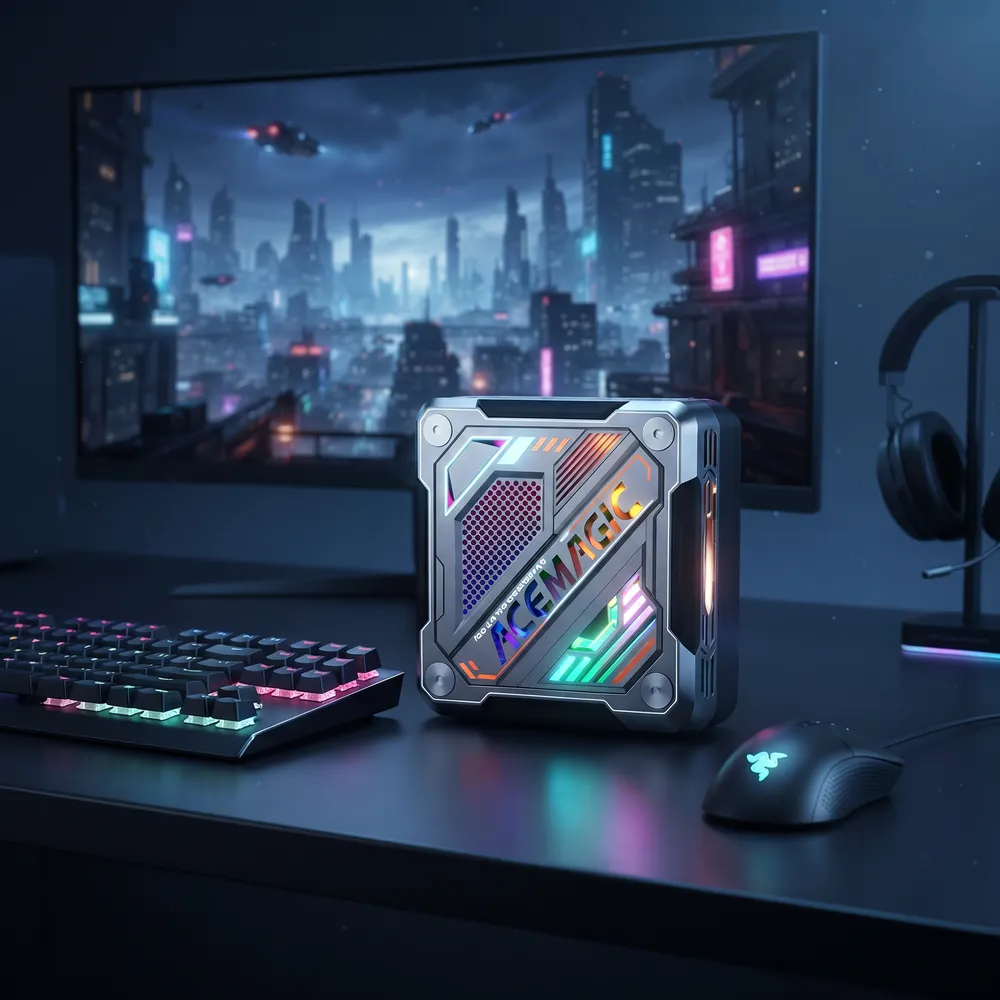
The chassis departs from traditional matte-black office boxes, leaning unapologetically into an aggressive cyberpunk aesthetic:
-
Materials and Construction: The shell features rigid composite materials with a gunmetal finish and geometric ventilation cutouts. Weighing well under a kilogram, the unit feels structurally solid without flexing under hand pressure.
-
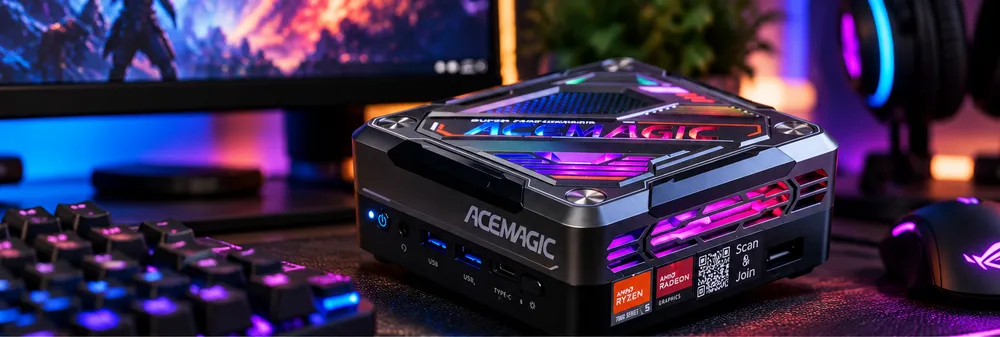
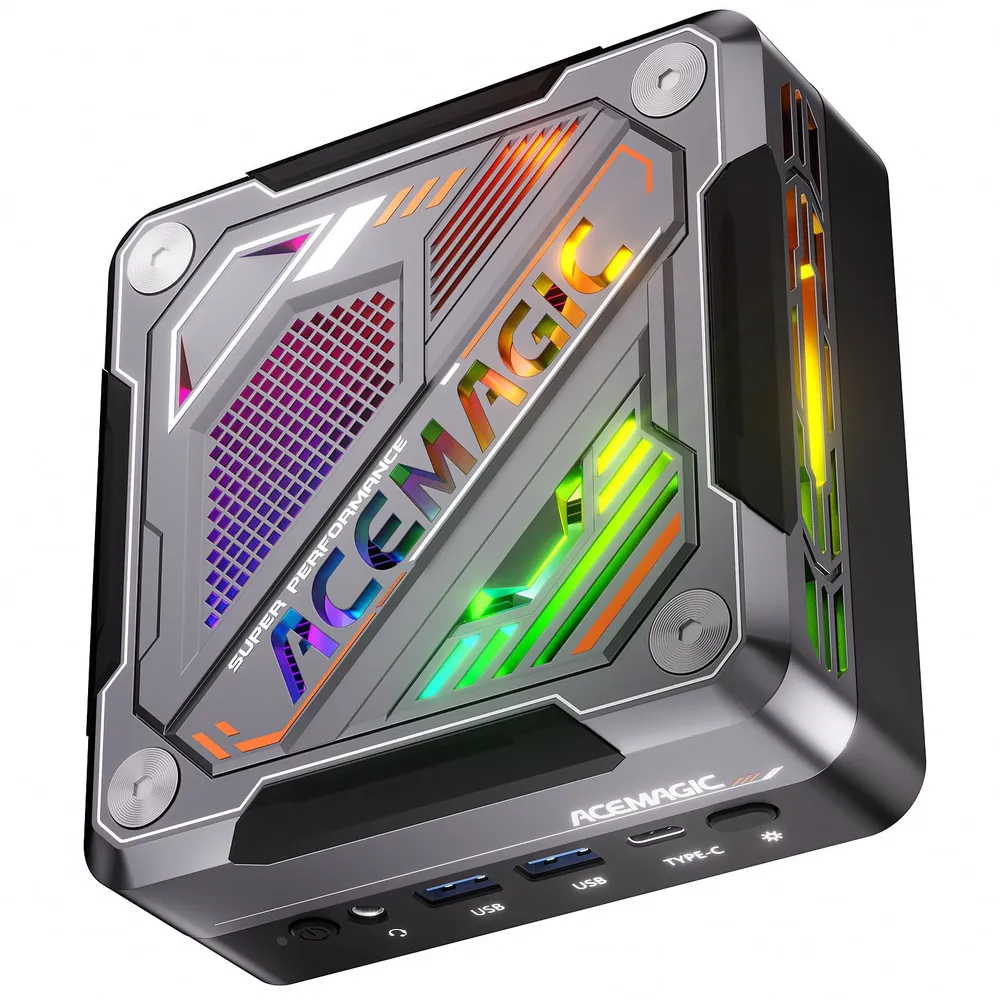
RGB Lighting Control: The top illuminated logo and side ventilation grilles feature multi-color RGB cycling by default. A dedicated physical button located on the front I/O panel allows users to quickly toggle through static colors, breathing patterns, or shut off illumination entirely without opening background software.
-
Desk Footprint: Taking up less than 6 inches of desk surface, the AM18 tucks neatly beneath monitor stands or mounts cleanly behind displays using standard VESA brackets, dramatically simplifying cable runs.
Connectivity and Internal Upgrade Paths
Where many budget mini PCs cut corners on expansion, the AM18 stands out for long-term versatility:
-
Front I/O: 2x USB 3.2 Gen 2 Type-A, 1x USB4 Type-C (supporting 40Gbps data and display out), 3.5mm combo audio jack, power button, and physical LED toggle.
-
Rear I/O: 2x 2.5 Gigabit RJ45 Ethernet ports (ideal for local NAS streaming or home routing labs), 1x HDMI 2.1, 1x DisplayPort 2.0, 2x USB 2.0 Type-A, and DC power input.
-
OCuLink Port: The inclusion of an external OCuLink (Optical-Copper Link) interface connects directly to PCIe lanes. This provides a direct, high-bandwidth bridge to connect an external GPU (eGPU) enclosure, transforming the mini PC into a true 1440p/4K desktop powerhouse later down the road.
-
Internal Expandability: Removing four rubber feet and base screws reveals two DDR5 SO-DIMM slots supporting up to 96GB of RAM and two M.2 2280 NVMe storage slots (equipped with a PCIe 3.0 SSD out of the box), making memory and storage upgrades effortless.
Pros and Cons
Pros
-
Smooth 100+ FPS performance in mainstream esports titles (Valorant, League, Fortnite)
-
Strong six-core Zen 4 AMD Ryzen 5 7640HS processing architecture
-
Memory support expanded up to 96GB DDR5 across dual SO-DIMM slots
-
Excellent I/O selection including USB4, dual 2.5Gb Ethernet, and triple-monitor support
-
Built-in OCuLink port provides a real, high-speed external GPU upgrade path
-
Compact footprint with quiet, controlled thermal performance under load
Cons
-
Base 16GB configuration operates in single-channel mode out of the box
-
Ships with a PCIe 3.0 NVMe SSD rather than Gen 4
-
Demanding AAA titles and CS2 require significant resolution or setting compromises
-
External GPU enclosures add cost and diminish the simplicity of a small-form-factor setup
Who Is the ACEMAGIC AM18 For?
The ACEMAGIC AM18 successfully challenges the idea that competitive gaming requires a massive tower. For players whose gaming diet consists primarily of tactical shooters, MOBAs, and battle royales like Valorant, League of Legends, and Fortnite, the AM18 delivers fluid, stable 1080p frame rates at a fraction of the size and cost of a full desktop.
While it cannot replace a dedicated high-end GPU for heavy AAA ray tracing, its low acoustic profile, triple-display output, dual 2.5Gb networking, support for up to 96GB RAM, and OCuLink expansion make it an outstanding multi-purpose machine for dorm rooms, compact battle stations, and secondary LAN travel rigs.
Where to Buy and Exclusive Reader Discount
The ACEMAGIC AM18 is available across regional storefronts. Readers can take advantage of exclusive competitive pricing by applying promo code AM1810 at checkout:
-
Europe: Buy the ACEMAGIC AM18 on ACEMAGIC EU (Use code AM1810 for €30 off during the Black Friday promotion)
-
Japan: Buy the ACEMAGIC AM18 on ACEMAGIC JP (Use code AM1810 for ¥3,000 off)
-
United States: Buy the ACEMAGIC AM18 on ACEMAGIC US (Use code AM1810 for $10 off)
Frequently Asked Questions (FAQ)
Can the ACEMAGIC AM18 run Valorant at 144Hz?
Yes. At native 1080p with low competitive presets, the AM18 averages 188 FPS with 1% lows staying at 114 FPS, providing an exceptionally smooth experience on 144Hz gaming monitors.
What is the maximum RAM supported on the ACEMAGIC AM18?
The motherboard features two DDR5 SO-DIMM slots that support up to 96GB of DDR5 RAM. While the base 16GB unit operates in single-channel mode, installing a second module enables dual-channel memory bandwidth to boost integrated gaming graphics.
Does the ACEMAGIC AM18 include a PCIe 4.0 SSD?
The review unit ships with a 512GB PCIe 3.0 NVMe SSD. The internal chassis features two M.2 2280 slots, allowing you to add a secondary high-speed drive for extra game storage.
Can you connect an external graphics card (eGPU) to the AM18?
Yes. In addition to 40Gbps USB4, the AM18 features a dedicated OCuLink port, providing high-bandwidth PCIe connection speeds for compatible external GPU docks without the heavy bandwidth penalties typical of standard Thunderbolt connections.