
GTA 5 Cheat Codes for Xbox 360: Full List of Vehicles, Weapons, and World Cheats
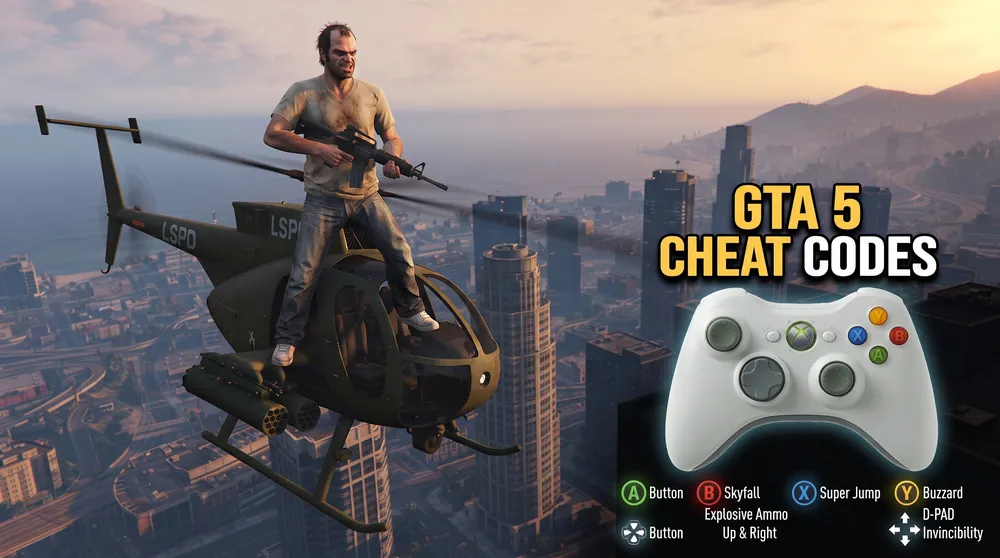
Using cheat codes in Grand Theft Auto 5 on Xbox 360 remains one of the fastest ways to test physics, survive high wanted levels, or bypass the grind of traveling across San Andreas. Unlike modern entries where players rely on in-game phone contacts, the original Xbox 360 version prioritizes direct button combinations executed directly on the controller during active gameplay.
Below is the verified master list of all working Xbox 360 button cheats for GTA 5, organized by player status, combat tools, vehicle spawns, and world modifiers.
Important Rules Before Using Cheats
Before entering button sequences, keep these operational rules in mind:
-
Achievements Are Disabled: Entering any cheat immediately blocks Xbox 360 Achievements for your current game session. To resume earning achievements, you must reload a clean save file created before the cheat was activated.
-
Never Save With Active Cheats: Saving your game while cheats are running can permanently lock achievements on that specific save slot and occasionally glitch story mission triggers.
-
Input Speed: Enter all button inputs rapidly in regular gameplay. Do not pause the game. If entered correctly, a small confirmation notification will appear above the mini-map.
-
Invincibility Has a Limit: The Invincibility code only lasts for exactly five minutes. Once the timer expires, you must re-enter the code manually.
-
Single-Player Only: None of these codes function in GTA Online lobbies.
Player Status and Combat Cheats
These codes control player health, durability, combat abilities, and wanted levels.
| Effect | Controller Button Input Sequence |
| Invincibility (5 Minutes) | Right, A, Right, Left, Right, RB, Right, Left, A, Y |
| Max Health and Armor | B, LB, Y, RT, A, X, B, Right, X, LB, LB, LB |
| Give Weapons and Ammo | Y, RT, Left, LB, A, Right, Y, Down, X, LB, LB, LB |
| Lower Wanted Level (-1 Star) | RB, RB, B, RT, Right, Left, Right, Left, Right, Left |
| Raise Wanted Level (+1 Star) | RB, RB, B, RT, Left, Right, Left, Right, Left, Right |
| Recharge Special Ability | A, A, X, RB, LB, A, Right, Left, A |
| Super Jump | Left, Left, Y, Y, Right, Right, Left, Right, X, RB, RT |
| Fast Run | Y, Left, Right, Right, LT, LB, X |
| Fast Swim | Left, Left, LB, Right, Right, RT, Left, LT, Right |
| Explosive Melee Attacks | Right, Left, A, Y, RB, B, B, B, LT |
| Explosive Bullets (Bang Bang) | Right, X, A, Left, RB, RT, Left, Right, Right, LB, LB, LB |
| Flaming Bullets | LB, RB, X, RB, Left, RT, RB, Left, X, Right, LB, LB |
| Slow-Motion Aim (3 Tiers) | X, LT, RB, Y, Left, X, LT, Right, A |
| Parachute | Left, Right, LB, LT, RB, RT, RT, Left, Left, Right, LB |
| Skyfall (Spawn in Sky) | LB, LT, RB, RT, Left, Right, Left, Right, LB, LT, RB, RT, Left, Right, Left, Right |
Note: Entering the Slow-Motion Aim code up to three times increases the slow effect. Entering it a fourth time disables it. When using Skyfall, aim your character face-first toward the ground to survive the landing without a parachute.
Vehicle Spawn Cheats
Spawned vehicles appear directly in front of your character. Ensure you are standing in an open roadway or clear field; if an area is too narrow or obstructed by buildings, the game will fail to spawn the vehicle.
| Vehicle | Class / Description | Controller Button Input Sequence |
| Buzzard | Attack Helicopter with rockets | B, B, LB, B, B, B, LB, LT, RB, Y, B, Y |
| Comet | Two-door sports car | RB, B, RT, Right, LB, LT, A, A, X, RB |
| Rapid GT | High-speed coupe | RT, LB, B, Right, LB, RB, Right, Left, B, RT |
| Sanchez | Off-road dirt bike | B, A, LB, B, B, LB, B, RB, RT, LT, LB, LB |
| PCJ-600 | Street motorcycle | RB, Right, Left, Right, RT, Left, Right, X, Right, LT, LB, LB |
| Trashmaster | Garbage truck | B, RB, B, RB, Left, Left, RB, LB, B, Right |
| Stretch | White limousine | RT, Right, LT, Left, Left, RB, LB, B, Right |
| Caddy | Golf cart | B, LB, Left, RB, LT, A, RB, LB, B, A |
| Mallard | Stunt airplane | B, Right, LB, LT, Left, RB, LB, LB, Left, Left, A, Y |
| Duster | Crop duster plane | Right, Left, RB, RB, RB, Left, Y, Y, A, B, LB, LB |
| BMX Bike | Bicycle | Left, Left, Right, Right, Left, Right, X, B, Y, RB, RT |
World, Physics, and Weather Cheats
These modifiers alter the environment, gravity, vehicle handling, and time.
| Modifier | Effect Details | Controller Button Input Sequence |
| Change Weather | Cycles: Sunny, Clear, Cloudy, Smog, Overcast, Rain, Thunder, Clearing, Snow | RT, A, LB, LB, LT, LT, LT, X |
| Slippery Cars (Drift Mode) | Removes tire traction on all vehicles | Y, RB, RB, Left, RB, LB, RT, LB |
| Moon Gravity | Low-gravity physics upon entering a vehicle | Left, Left, LB, RB, LB, Right, Left, LB, Left |
| Slow Motion (World) | Slows overall game speed (Cycles up to 3 times) | Y, Left, Right, Right, X, RT, RB |
| Drunk Mode | Warps camera screen and causes staggering | Y, Right, Right, Left, Right, X, B, Left |
Troubleshooting Cheats on Xbox 360
If an input sequence does not trigger the cheat notification:
-
Check Your Location: Large vehicles like the Buzzard helicopter and Duster plane require substantial clearance. If the space is blocked by fences, lampposts, or low ceilings, move to a highway or open runway.
-
Button Timing: Ensure you are not holding down the directional pad or bumper triggers too long. Button presses must be distinct, sequential taps.
-
Active Missions: Certain story missions lock cheat activation to prevent mission script errors. Complete or fail the active mission checkpoint before trying again.


