
How to Get Silk Touch Enchantment in Minecraft
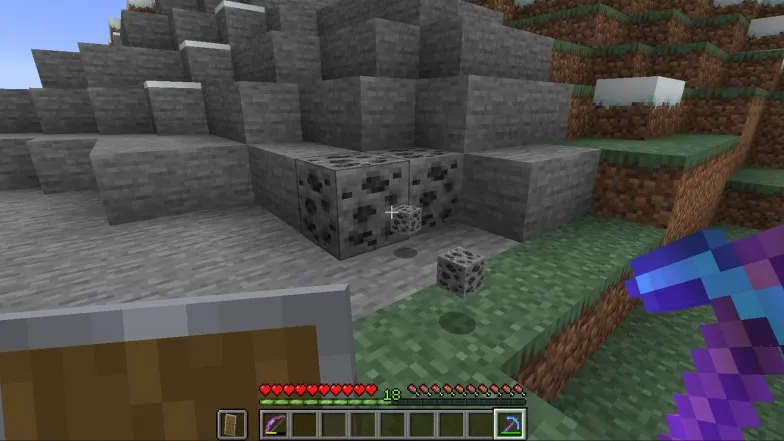
Welcome to the enchanting world of Minecraft! As you explore the vast and creative landscape, you'll soon come across the unique and highly sought-after enchantment called Silk Touch. This powerful enchantment allows players to collect specific blocks in their original form, rather than breaking them down into their individual components. This can be extremely helpful for preserving certain blocks or gathering unique items.
In this article, we'll dive into the fascinating world of Silk Touch and provide you with a detailed, easy-to-follow guide on how to acquire this enchantment for your tools. With a little patience and resourcefulness, you'll soon be enjoying the benefits of this enchantment and taking your Minecraft experience to new heights. So let's get started on your journey to mastering the Silk Touch enchantment in Minecraft!
Getting Ready for the Silk Touch Enchantment Adventure
Before you embark on your quest to acquire the Silk Touch enchantment, it's essential to gather the necessary materials and prepare your enchanting station. This preparation will ensure a smooth and efficient process, allowing you to focus on obtaining the enchantment itself. Let's take a look at the key components you'll need to begin your enchanting journey.
Assembling the Essentials
To craft an enchanting table and unlock the power of enchantments, you'll need the following items:
- A book: This essential item can be found in villages, dungeons, or crafted from paper and leather.
- Four blocks of obsidian: Mine obsidian using a diamond or netherite pickaxe by extracting lava and converting it to obsidian with water.
- Two diamonds: Diamonds are typically found deep underground, at levels 2-16 in the Overworld.

Crafting Your Enchanting Table
With your materials in hand, it's time to create the enchanting table. To do this, place the book in the top-center slot of the crafting grid, the two diamonds in the middle column, and the four obsidian blocks in the bottom row. Once crafted, set up your enchanting table in a suitable location with ample space for enchanting activities.
Stocking Up on Lapis Lazuli and Experience
Before you can start enchanting your tools with Silk Touch, you'll need to gather lapis lazuli and accumulate experience levels. Lapis lazuli is a valuable resource that can be mined in the Overworld, typically at levels 14-30. Ensure you have plenty on hand, as it plays a crucial role in the enchanting process.
Experience, on the other hand, can be gained through various activities, such as mining ores, smelting items, breeding animals, and defeating hostile mobs. Make sure you've accumulated enough experience levels to fuel your enchanting endeavors.
Now that you're all set with the necessary materials and a well-prepared enchanting station, it's time to dive into the process of obtaining the Silk Touch enchantment. Stay tuned as we guide you through each step of this exciting adventure!
Obtaining Silk Touch with an Enchanting Table
Now that you're fully prepared with the necessary materials and an enchanting station, it's time to get down to business and acquire the Silk Touch enchantment. Follow these simple steps to enchant your tools with this powerful and versatile enchantment.
Access the Enchanting Table Interface
To begin, right-click on the enchanting table to open its crafting menu. You'll see a user interface with a slot for your lapis lazuli, a slot for the tool you want to enchant, and three mysterious runic scripts.

Load Up on Lapis Lazuli
Place your stack of lapis lazuli into the designated slot in the enchant ofing table interface. Ideally, you'll want to fill the slot with a stack of 64 lapis lazuli to maximize your enchanting options and increase the chances of obtaining Silk Touch.
Select Your Tool of Choice
Next, place the tool you wish to enchant with Silk Touch into the left-most slot of the enchanting table's interface. Keep in mind that Silk Touch can be applied to pickaxes, shovels, axes, and gardening hoes. For players using Minecraft: Bedrock Edition, you can also apply Silk Touch to shears.
Decoding the Runic Scripts and Choosing Enchantments
Look to the right of the enchanting table interface to find three slots displaying runic scripts. Hover your cursor over these scripts to reveal the enchantment that will be applied to your tool if selected. If you see Silk Touch among the options, go ahead and click on it to enchant your tool.
Refresh and Retry If Necessary
If Silk Touch isn't listed among the available enchantments, don't fret! You can refresh the enchanting table's list by enchanting a different item. For instance, enchant a book to create new enchantment options in the interface. Repeat this process as needed until Silk Touch appears as an available enchantment.
By following these steps and exercising a little patience, you'll soon have a Silk Touch-enchanted tool at your disposal. The enchanting world of Minecraft awaits, so get ready to put your new, powerful tool to good use!
Conclusion
You've successfully navigated the enchanting process and acquired the Silk Touch enchantment for your tool. With this newfound knowledge and skill, you can now enjoy the benefits of this powerful and versatile enchantment as you continue to explore the vast and exciting world of Minecraft.
Remember, practice makes perfect, and as you become more experienced with enchanting, you'll be able to optimize your resources and unlock even more enchantments to enhance your gameplay. With your Silk Touch-enchanted tool in hand, you're well on your way to becoming a master of enchantments in Minecraft.


