GTA 5 Android Port GitHub Projects Explained: How ARM64 Ports Work and Safety Risks
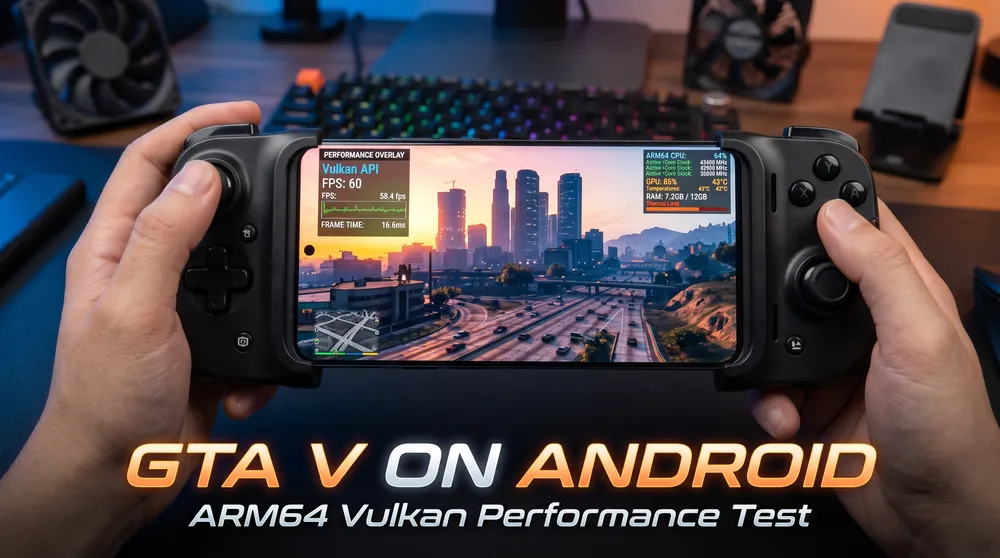
Following the record-breaking console debut of Grand Theft Auto VI detailed in our GTA 6 $3.79 billion day-one sales report player interest across the entire franchise has surged. Alongside queries for Leonida, searches for gta 5 android port github and gta v port android have climbed steadily as mobile gamers look for ways to run Los Santos on modern Snapdragon and Dimensity chipsets.
Much like evaluating third-party hardware modifications in our MKOPec Nintendo Switch 2 dock mod guide, experimenting with unofficial mobile ports requires separating legitimate open-source compatibility layers from dangerous malware APKs.
Here is the technical breakdown of how GitHub GTA V Android projects operate, what hardware and game files they require, and how to stay safe.
Does Rockstar Have an Official GTA 5 Android Version?
No. Rockstar Games has never released an official Android or iOS port of Grand Theft Auto V. Every standalone .apk file advertised on social media or third-party download sites claiming to be a "full 2GB compressed GTA 5 mobile installer" is fake—and frequently bundles adware, credential stealers, or remote access trojans.
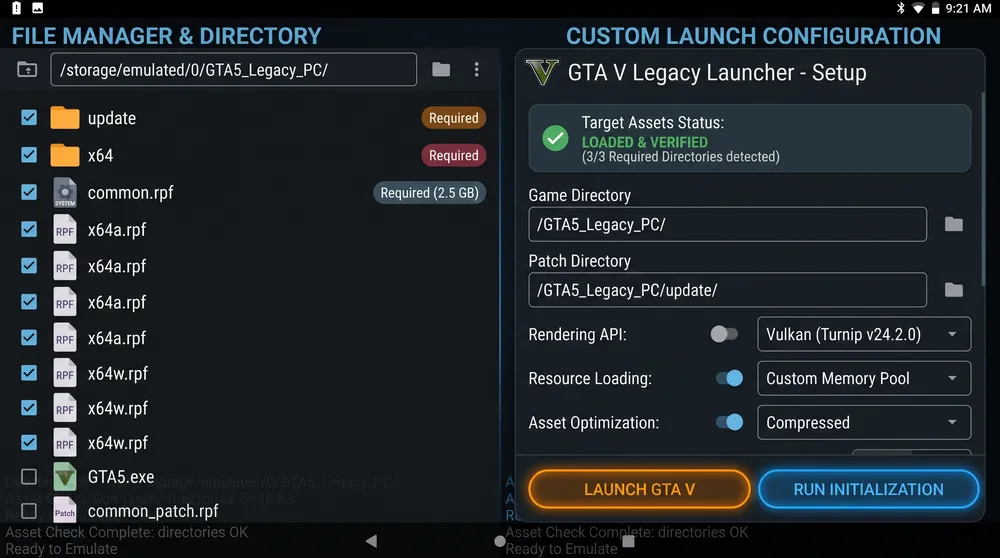
Legitimate community projects hosted on GitHub (such as XHYN-V and open-source GLUE / muguet compatibility wrappers) are strictly empty runtime launchers. They contain zero copyrighted Rockstar game data, textures, or audio, requiring users to supply their own legally purchased PC files.
How GitHub ARM64 Android Ports Actually Work
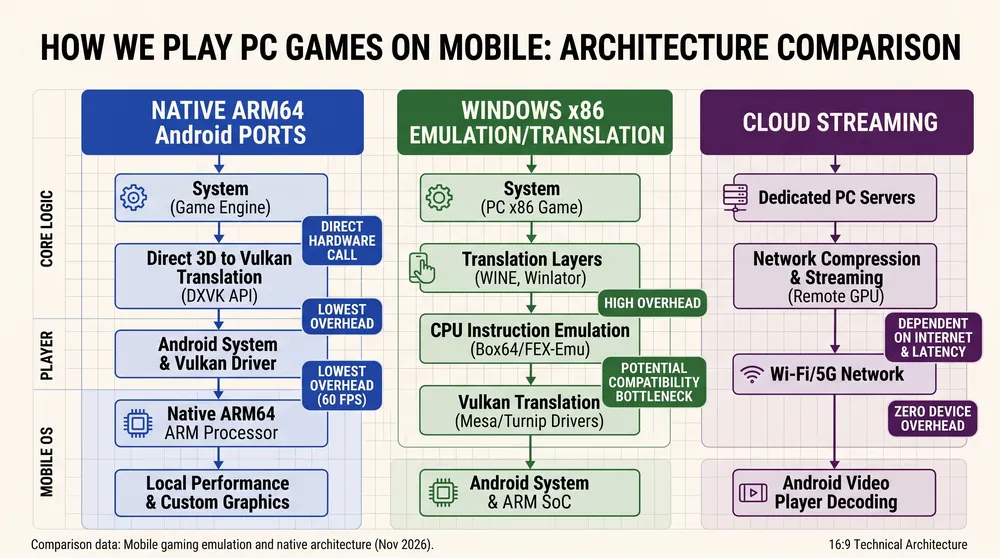
Modern open-source Android ports differ significantly from full PC Windows emulators like Winlator or Mobox:
-
Native ARM64 Execution: Rather than emulating an entire x86 Windows operating system in real time, community ports execute native 64-bit ARM64 Android libraries (
libgtav.so) through SDL entry points, reducing CPU translation overhead. -
DXVK Graphics Translation: Because GTA V renders using Direct3D 11 while Android GPUs rely on Vulkan, these projects integrate DXVK Native to translate Direct3D/DXGI graphics calls directly into Vulkan instructions.
-
Legacy PC Data Baseline: Compatibility wrappers rely on specific GTA V Legacy PC assets (such as
common.rpf,x64, andupdatefolders from build 1.61 / 2699) rather than the newer GTAV Enhanced ray-traced PC data set.
Comparing Ways to Play GTA 5 on Android
For players looking to run Grand Theft Auto V on mobile hardware, three distinct methods exist—each with trade-offs in stability, storage, and setup complexity:
| Method | Architecture | Storage & Setup Needs | Stability & Performance |
| Cloud Streaming (Xbox Cloud / GeForce NOW / Steam Link) | Remote Server / Local PC Stream | Minimal storage (<500 MB); requires active subscription or host PC | Highest (Locked 60 FPS with zero thermal throttling) |
| GitHub Native ARM64 Wrappers (e.g., XHYN-V) | ARM64 Runtime + DXVK Vulkan Translation | 65–90 GB free storage + legal GTA V Legacy PC files + Android 11+ | Moderate (Experimental; prone to driver crashes on non-Adreno GPUs) |
| Windows Container Emulators (Winlator) | Box64 / Wine x86-to-ARM Translation | 70+ GB storage + custom Turnip Mesa drivers | Variable (High battery drain and device heat on flagship Snapdragons) |
Essential Security Precautions
If you explore open-source compatibility projects on GitHub, follow strict verification rules:
-
Never Trust Re-Uploaded APKs: Only inspect source code and release builds directly from verified GitHub repositories rather than Telegram mirrors or YouTube description links.
-
Expect No Official GTA Online Access: Unofficial mobile launchers lack BattlEye anti-cheat integration and cannot connect to Rockstar's official GTA Online servers; attempting to log into active Social Club accounts through modified clients risks account flags.
-
Monitor Device Thermals: Running a 60GB open-world engine locally pushes mobile SoCs to peak TDP, which can degrade battery health during extended sessions without an active external cooler.