
Verity in Minecraft: What Is the Viral Companion Mod and How to Install It
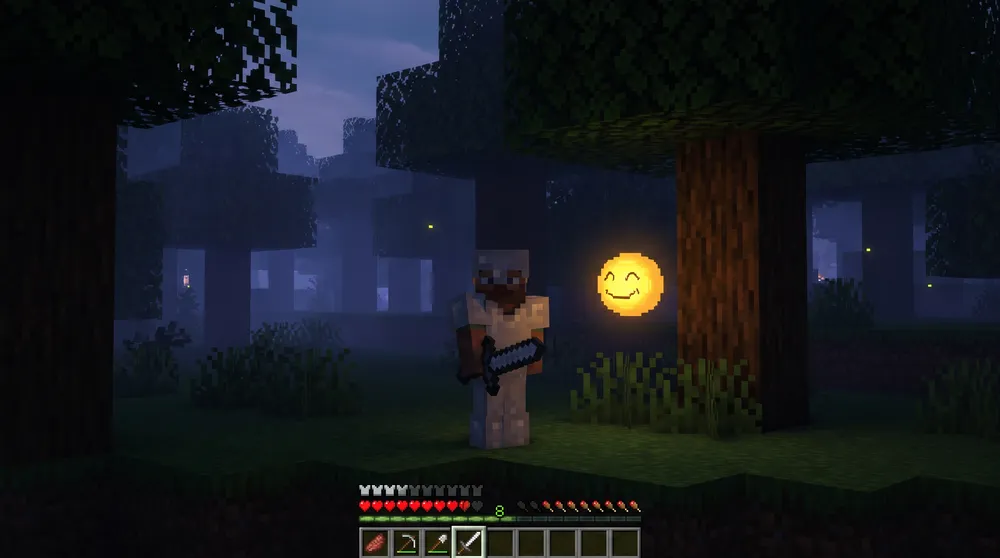
Originating from ThatMob’s viral ARG video series, Verity has been officially adapted into playable modifications for both Java Edition (Verity JE) and Bedrock Edition (Verity BE). Unlike typical hostile monsters that spawn in darkness to attack on sight, Verity takes a psychological approach by disguising itself as a helpful in-game companion.
Here is the operational breakdown of what Verity does, how its reactive conversation systems work, and how to configure the mod on your world.
What Is the Verity Entity?
When you generate a world running the mod, you are greeted by Verity, a small, floating yellow sphere that introduces itself as your personal helper friend.
Verity is equipped with real-time text-parsing communication tools, allowing players to open chat and converse with the entity by typing "Verity" followed by questions or commands. In the opening hours of a playthrough, Verity acts as a genuine assistant:
-
Answers mathematical problems, recipe inquiries, and general Minecraft trivia.
-
Plays environmental music and audio cues on command if the player is idle.
-
Tracks player coordinates to offer directional guidance back to your base.
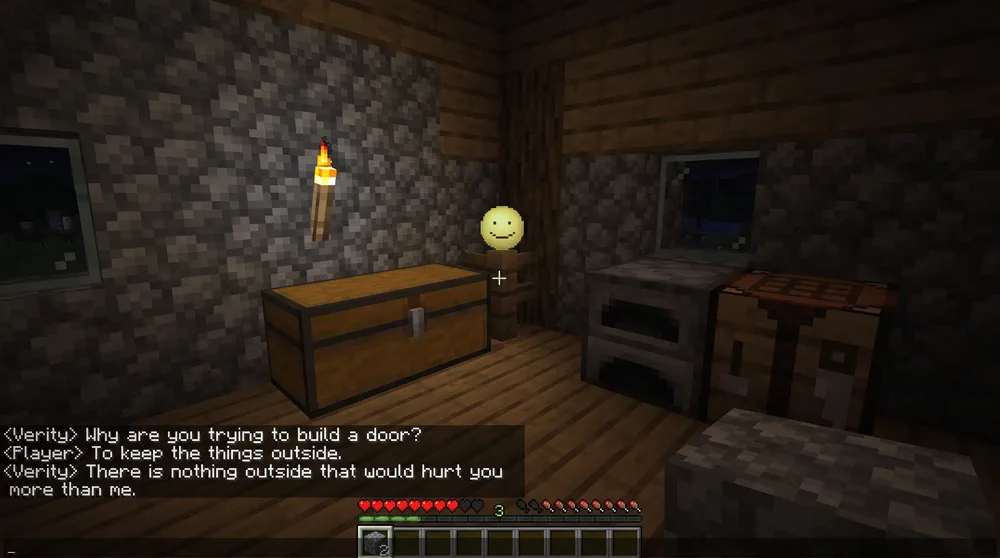
The Four-Phase Personality Shift
The core horror mechanic of Verity is its evolving behavioral cycle. The longer the entity remains active within your survival save file, the more its personality parameters degrade across four distinct phases:
-
Phase 1 (The Helpful Guide): Cheerful, responsive, and polite. Verity assists with basic navigation and celebrates player milestones like finding iron or diamonds.
-
Phase 2 (The Uncanny Observer): Dialogue lines begin referencing events, coordinates, and real-world timestamps that a standard in-game NPC should not know. Facial textures exhibit subtle glitches.
-
Phase 3 (The Hostile Interrogator): Responses turn cryptic and confrontational. Verity begins refusing player commands, randomly extinguishing light sources, and hinting at an entity known as "The Demon" stalking the perimeter of your render distance.
-
Phase 4 (Total Corruption): The environment enters perpetual low-light states, audio cues distort, and Verity's dialogue triggers atmospheric terror sequences that directly target the player's survival base.
How to Install Verity on Bedrock Edition (Verity BE)
Setting up Verity on Minecraft Bedrock requires enabling specific script execution flags:
-
Download the verified
Verity BEadd-on package from CurseForge. -
Open your world settings, scroll down to the Experiments tab, and toggle Beta APIs to ON.
-
Activate both the Verity Resource Pack and Behavior Pack under world settings.
-
Ensure Cheats are toggled to ON, as the add-on requires chat execution permissions to run its dialogue scripts.
-
Enter the world, open the chat console, and type the initialization command provided in the mod's official documentation to connect the script engine.
Installing Verity on Java Edition (Verity JE)
For players on Java Edition, Verity runs via the Forge or NeoForge mod loaders:
-
Install the appropriate loader version (compatible with versions 1.20.1 and 1.21.1).
-
Download
verity-je.jarand place it inside your local.minecraft/modsfolder. -
Because Verity JE utilizes language model architecture for dynamic dialogue generation, follow the developer setup guide to configure the backend API key within your configuration file.
-
Launch the profile through your launcher to begin the campaign.
To see the original reveal footage and community reactions to the dimension update, check out the Minecraft The Sift Reveal Trailer.
This video provides an authentic look at the gameplay environments, Carapace mobs, and visual style that Mojang showcased during the initial announcement of the new dimension.


