Streams
Live

The Ultimate Valorant

Aim Training Course

Learn More

How to Play Roblox on Linux: Sober Flatpak Setup and Performance Guide
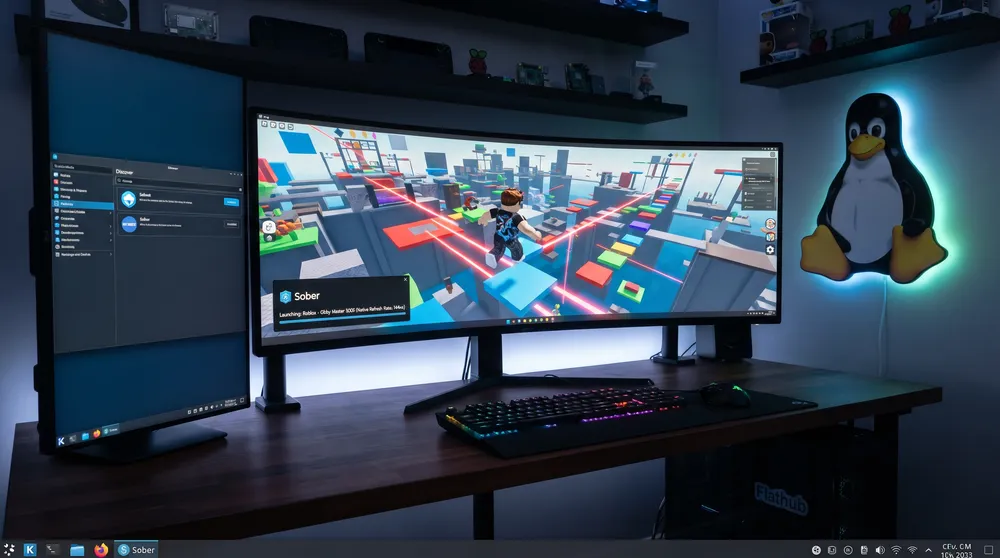
How to Play Roblox on Linux: Sober Flatpak Setup and Performance Guide
Image Credit: Roblox Running on Linux Desktop via Sober Flatpak Runtime Showcase
Written by: Tim
-
05/11/2026

Linux gaming has expanded exponentially thanks to compatibility tools and portable hardware like the Steam Deck. However, Roblox Corporation’s enforcement of Hyperion anti-cheat on Windows clients blocked standard Wine and Proton compatibility, leaving desktop Linux users without native access. The community responded with Sober, a specialized compatibility runtime that has driven breakout interest for sober roblox across Linux user groups.


Here is how the Sober runtime works and how to install it via Flatpak on Linux desktops and the Steam Deck.
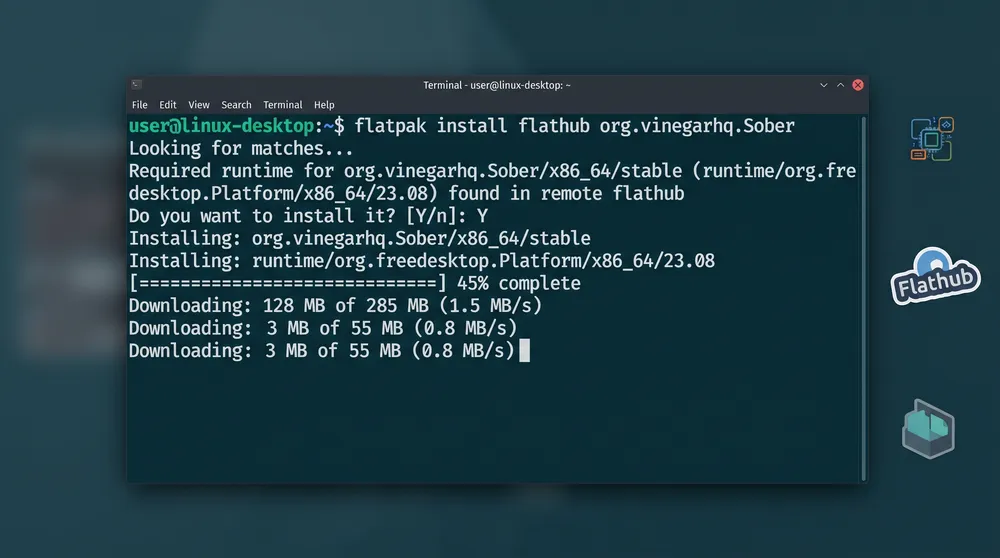
Installing Sober Roblox Runtime on Linux via Flathub Terminal Command

What Is Sober and How Does It Work?

Unlike traditional approaches that attempt to run the Windows client through Wine or cumbersome Android emulators, Sober operates using a dedicated runtime:

  • Direct Android-to-Linux Translation: Sober takes advantage of the Android build of Roblox, executing its ARM/x86 code through a specialized native compatibility layer directly on the Linux kernel.

  • Hyperion Bypass: Because Hyperion is specific to Windows 64-bit binaries, the Android-based engine runs without triggering false-positive anti-cheat bans or launch restrictions.

  • Performance Parity: By tapping directly into Vulkan rendering pipelines, Sober delivers performance that frequently matches or exceeds the native Windows client on equivalent hardware.
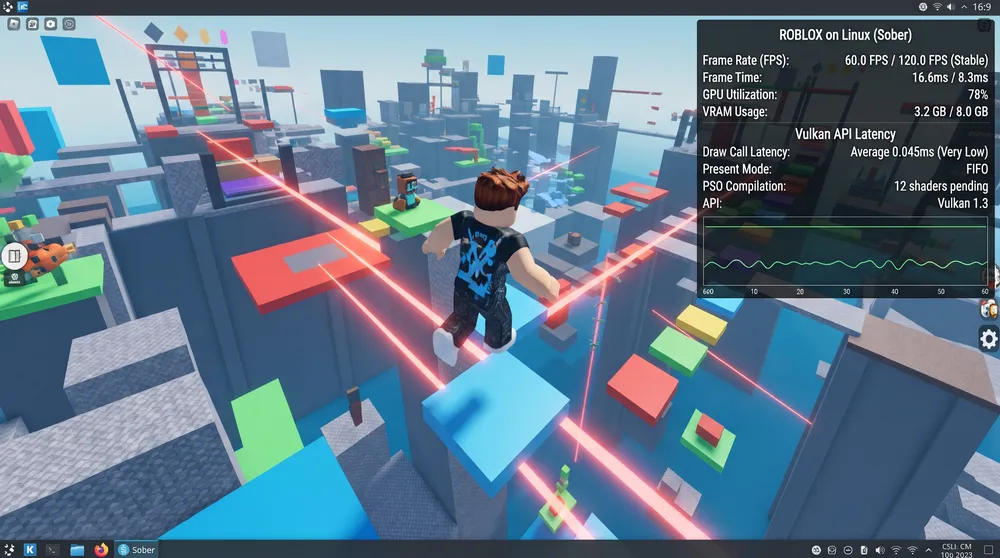
Roblox FPS Performance and Vulkan Frame Times on Linux via Sober

How to Install Sober via Flatpak

The Sober package is distributed primarily as a Flathub application through the VinegarHQ organization:

  1. Verify Flatpak Availability: Ensure your distribution (Ubuntu, Fedora, Arch, or SteamOS) has Flatpak configured. On Steam Deck, Flatpak is integrated into Desktop Mode out of the box.

  2. Execute Terminal Installation: Open your terminal emulator and input the official installation command:

    Bash
     
    flatpak install flathub org.vinegarhq.Sober
    
  3. Launch and Authenticate: Open Sober from your application launcher or Steam Deck library. The client will initialize its lightweight sandbox and prompt you to log into your Roblox account.

  4. Mouse and Input Capture: In the Sober settings panel, verify that Mouse Capture Mode is enabled. This ensures your cursor locks cleanly to the window center for fluid camera panning in first-person experiences.

More Guides
Roblox Sakura Stand Codes January 2024
Discover the latest Roblox Sakura Stand codes for January 2024. Get the newest active codes for free rewards and tokens to enhance your Sakura Stand gaming experience.
30/01/2024
Roblox Survive the Killer: How to Get the Hunt Badge
Discover the thrill of earning The Hunt badge in Roblox's Survive the Killer. Follow our expert guide for tips, strategies, and insights to claim your exclusive in-game reward and achieve recognition in this gripping survival challenge.
27/03/2024
Why is Roblox Not Working - Common Problems
Experiencing issues with Roblox? This blog post addresses common problems users face, such as server issues, device compatibility concerns, internet connection problems, account-related issues, and in-game bugs and glitches. Find practical solutions and troubleshooting steps to get your Roblox experience back on track. Get ready to enjoy seamless gaming and immerse yourself in the virtual world of Roblox.
02/06/2023
All Orbs in Roblox All-Star Tower Defense Explained
Learn about all the Orbs in Roblox All-Star Tower Defense, including their associated attributes, methods of obtaining, and the units they are required for. Discover which Orbs can boost your damage, lower unit deployment cost, or even transform your units into new forms. Get all the information you need to make the most out of your gameplay experience.
09/04/2023
How to Fix Invalid Parameter Error in Roblox
Encounter the Invalid Parameter Error in Roblox? Discover comprehensive solutions and expert advice on how to resolve this common issue. Learn the ins and outs of the error, from understanding what it means to implementing workarounds and reporting to developers.
29/10/2023
Comments
No comments yet
Please login to leave a comment.
Login