Streams
Live

The Ultimate Valorant

Aim Training Course

Learn More

All The Different Ways To Mark An Enemy In Fortnite

All The Different Ways To Mark An Enemy In Fortnite
Written by: Shizza
-
05/02/2023

The ability to use markers in Fortnite is among the most convenient features that help players to highlight weapons, landing spots, or other players to their teammates. This becomes a crucial feature if a player does not have access to voice chat.


2023 02 03_10


When playing Duos, Trios, or Squads, marking enemies can be the difference between staying alive in the game and getting eliminated. This article consists of all the information related to how you can mark enemies in Fortnite, so keep reading!


How To Mark Enemies In Fortnite


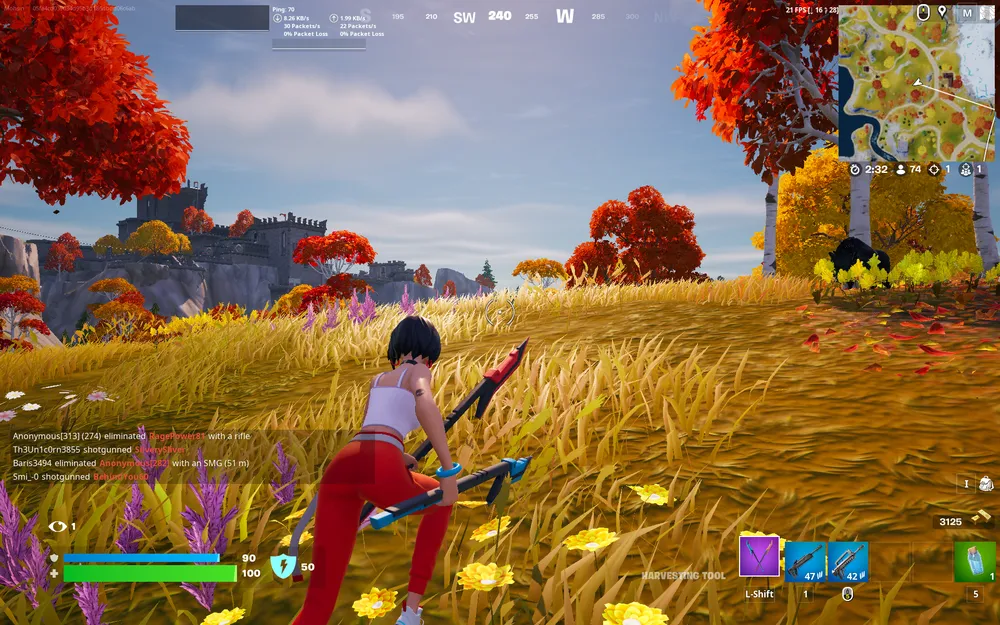
In Fortnite, aiming your reticle at your enemies and double-tapping the “place marker” button is one of the easiest ways to mark them. Players will need to take a look at their button mapping from the settings menu in order to find out where the “place marker” button is mapped.


However, if you are using a controller, it is supposed to be “left” on the D-pad by default.


Capture Point
 

2023 02 04_5


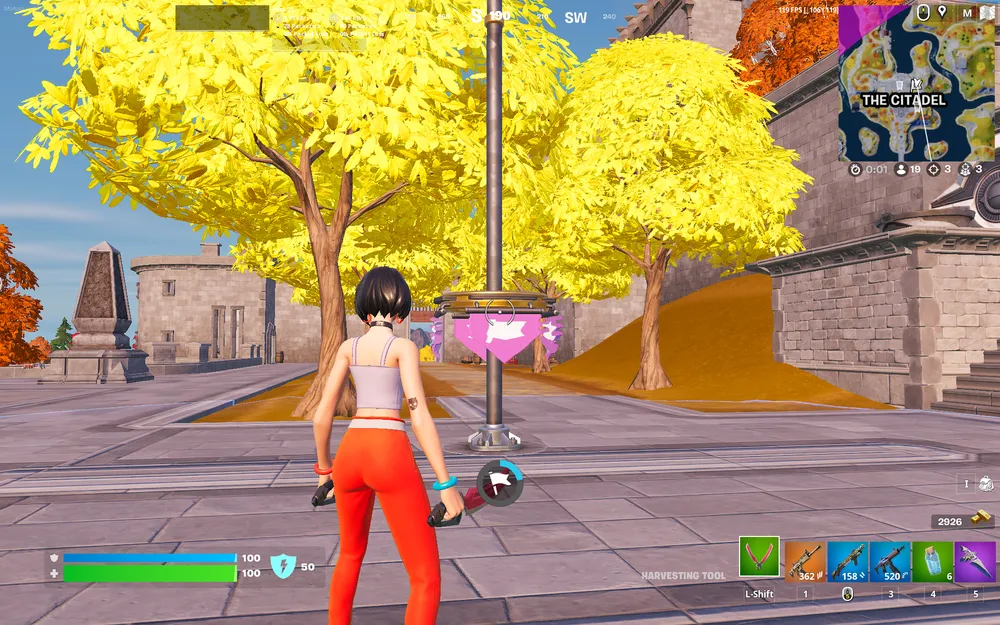
One more way to mark enemies in the game is to simply stand within a Capture Point at any main POI for enough time to capture the flag. Once you accomplish this, all the enemies inside the POI will be immediately marked for you.


Falcon Scout

 

2023 02 04_4


One last method to mark enemies in Fortnite is to use the new Falcon Scout item. Once you launch this in the air as well as click the Fire Button and you will be able to mark all your enemies present within a radius.


However, keep in mind that whatever method you use, you must be aware of your surroundings. This is because all the time you spend trying to mark enemies could be leaving you vulnerable to damage.


Reality Augments


There are a bunch of Reality Augments in Fortnite that allow you to mark enemies. These include:


  • Bloodhound
  • Storm Mark


2023 02 03_8


Conclusion


These are all the ways that you can currently mark an enemy in Fortnite. You can expect more ways to be added in the future, but for now, we hope you found this helpful!

More Guides
How to get Drop Dee skin in Fortnite
Discover how to get the Drop Dee skin in Fortnite Chapter 5 Season 1. This guide provides easy steps to unlock the popular LEGO Outfit style skin and tips for making the most of your Fortnite experience.
19/02/2024
Is Fortnite Cross-Platform? How to Play with Friends
Discover the world of Fortnite's cross-platform gameplay and how it bridges the gap between different consoles and devices. Our blog post dives into the intricacies of setting up cross-platform matches, enabling you to play with friends regardless of the platform they use. From creating an Epic Games account to understanding the challenges posed by platform disputes, we cover it all to enhance your Fortnite experience.
21/07/2023
Top 10 Best Fortnite Deathrun Map Codes (2023)
Deathrun Maps challenge the players’ parkour and problem-solving skills. Here are the top 10 Best Deathrun Maps in Fortnite.
18/07/2022
Where to find Copper in LEGO Fortnite
Discover where to find Copper in LEGO Fortnite and unlock a world of crafting, creativity, and adventure. Get the ultimate guide now!
16/01/2024
How To Cancel Your Fortnite Crew Subscription
Fortnite Crew is a great subscription model for people who don’t want to sit through the process of purchasing the Battle Pass every month. However, a person may need to cancel their Fortnite Crew subscription for a variety of reasons. Fortunately, Fortnite allows them to cancel their membership at any time, and it's an easy process regardless of which platform they’re using. So today, we will tell you how to cancel your Fortnite Crew subscription.
14/08/2022
Comments
No comments yet
Please login to leave a comment.
Login