How to Level Up a Max Move in Pokémon GO: Candy Costs, Max Particles, and Cheap Upgrade Tips
Special Research and timed event tasks regularly ask trainers to "Level up a Max Move," causing confusion whenever players spend Candy on a locked slot only to see their quest counter stay at zero. Fueled by active Dynamax Trails research tasks, searches for how to level up a max move in pokemon go have spiked by over 950%.
Understanding how Max Move tiers and resource groups work prevents you from wasting valuable Candy XL and Max Particles.
Here is the exact step-by-step method to level up a Max Move, how much each tier costs, and how to complete upgrade quests cheaply.
Unlocking vs. Leveling Up a Max Move (Crucial Difference)
Every newly caught Dynamax or Gigantamax Pokémon enters your storage with three Max Move slots:
-
Max Attack (or G-Max Move): Starts automatically unlocked at Level 1 / 3.
-
Max Guard (Shield): Starts Locked.
-
Max Spirit (Heal): Starts Locked.
Important Quest Rule: Tapping a locked Max Guard or Max Spirit slot and paying its initial cost unlocks the move (bringing it to Level 1). Unlocking a locked slot satisfies "Unlock a Max Move" tasks, not "Level up a Max Move" tasks. To count as leveling up a Max Move, you must upgrade an already unlocked move from Level 1 to Level 2, or from Level 2 to Level 3.
Step-by-Step: How to Level Up a Max Move
Follow these four steps to upgrade any eligible Dynamax, Gigantamax, or Crowned Form Legendary (such as Zacian, Zamazenta, or Eternatus):
-
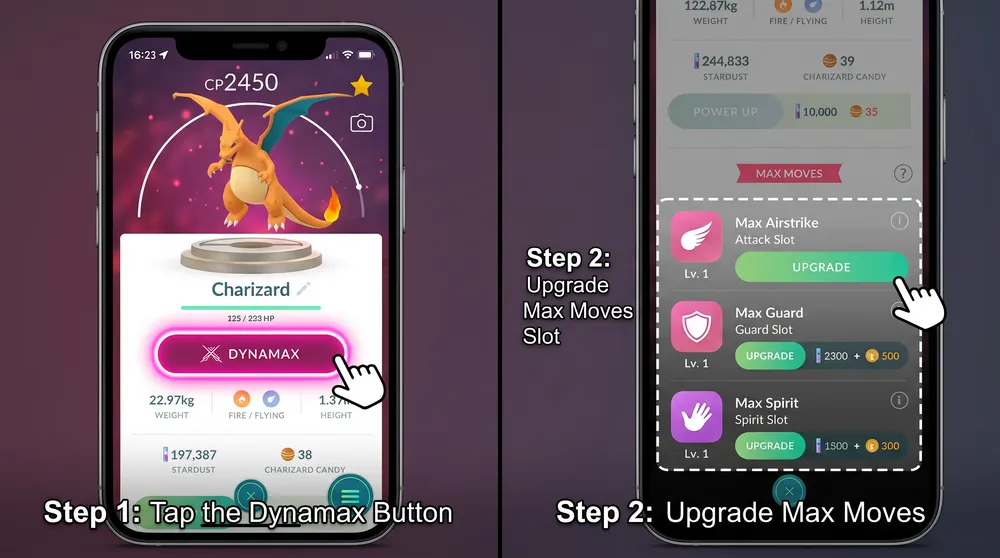
Open Pokémon Storage: Tap the Poké Ball menu, select Pokémon, and type
dynamax,gigantamaxinto the search bar to filter eligible species. -
Open the Dynamax Menu: Select your chosen Pokémon and tap the Dynamax / Gigantamax button located directly beneath its CP and HP bars.
-
Select an Unlocked Move (Level 1 or 2): Tap your already unlocked Max Attack (or an unlocked Max Guard/Spirit slot).
-
Tap Train: Confirm the required Max Particles (MP) and Candy / Candy XL expenditure to raise the move to the next level.
Standard Max Move Upgrade Costs (Group 1 Species)
While Legendary species (like Eternatus and Dynamax Legendary birds) require higher resource tiers, standard Group 1 Dynamax and Gigantamax species follow this baseline upgrade schedule:
| Upgrade Tier | Max Particles (MP) Required | Candy / Candy XL Required | Quest Credit |
| Unlock Locked Move (0 → Lvl 1) | 400 MP | 50 Candy | Counts as Unlock only |
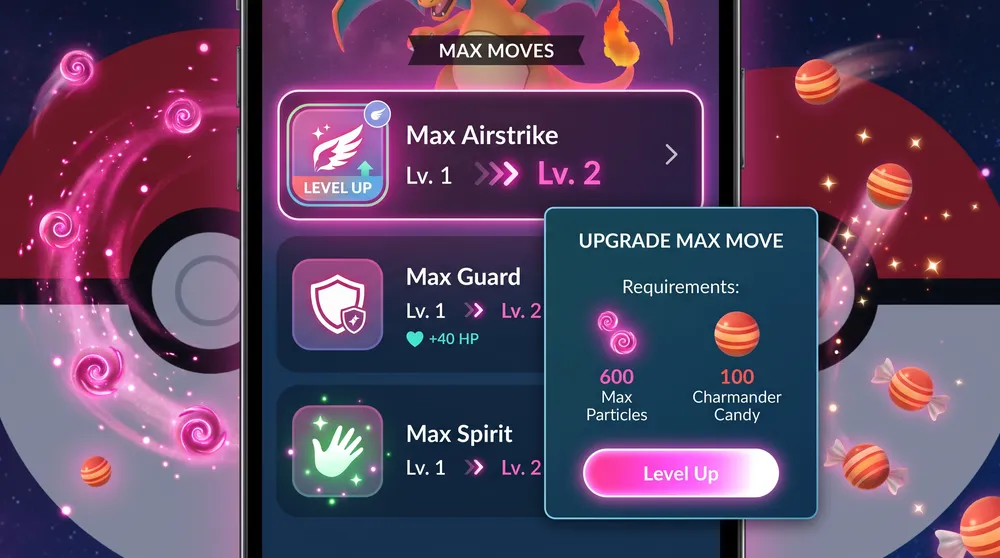
| Level Up (Lvl 1 → Lvl 2) | 600 MP | 100 Candy | Counts as Level Up a Max Move |
| Max Out (Lvl 2 → Lvl 3) | 800 MP | 40 Candy XL | Counts as Level Up a Max Move |
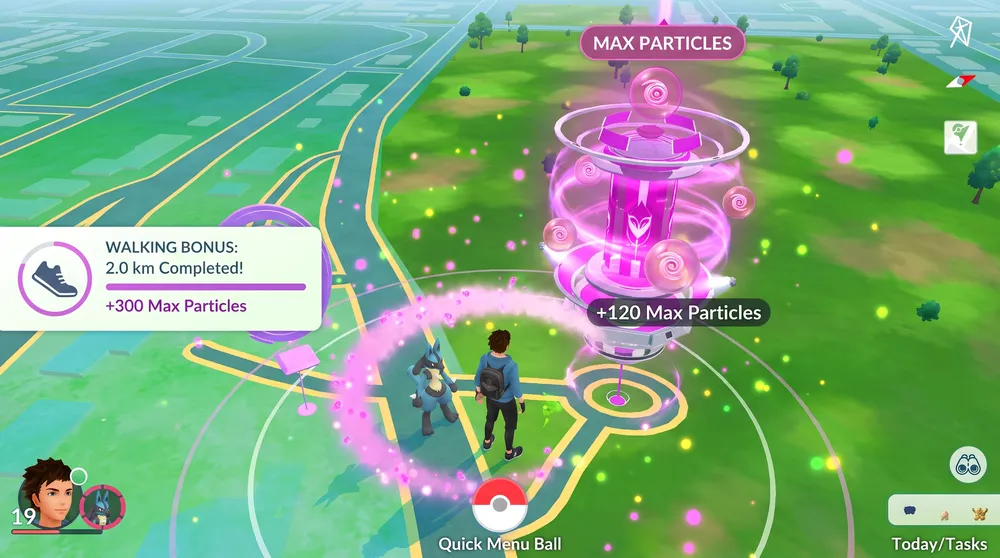
Daily Max Particle Tip: Trainers can collect up to 800 MP per day by interacting with Power Spots (120 MP per new spot) and claiming the 2km walking bonus (300 MP). Hold off on collecting your 300 MP walking reward until you are near the daily cap to push your total daily intake slightly past 800 MP.
Pro Search String for Cheap Research Completions
If you only need to level up a Max Move to clear a research milestone without burning rare Candy XL:
-
Paste
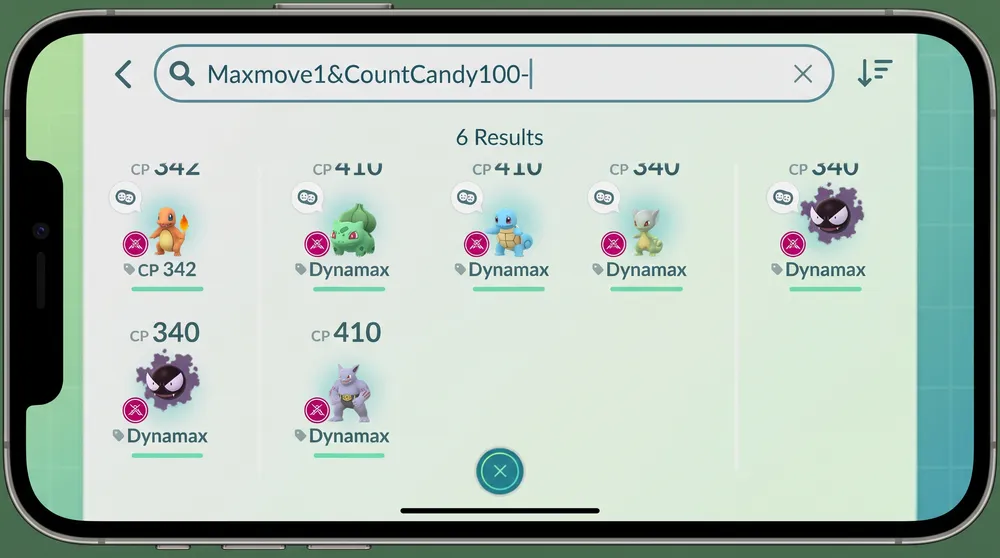
Maxmove1&CountCandy100-into your Pokémon storage search bar. -
This filter surfaces every Pokémon in your collection that already has a Level 1 move ready to upgrade to Level 2 and possesses at least 100 available Candy. Prioritize common species like Wooloo, Skwovet, or Galarian starters where Candy is plentiful, saving your Candy XL for top attackers like Dynamax Excadrill, Metagross, and Gengar.