How to See Why You Were Reported in VALORANT
VALORANT players who want clarity on their reputation can now pull an official data export from Riot Games that includes an aggregate history of reports you’ve received, broken down by reason.
There’s one big catch: it won’t reveal the identities of the players who reported you, Riot only supplies aggregate counts and categories, not names. So you could know if people think you're a cheater!
What’s actually in the report section?
Riot’s data export for VALORANT lists “aggregate report history, including reports made and received from the last 3 months (or the past 100 games, if you’ve played more than that in the last 3 months)”.
The package can also include recent text chat logs, and, where available, voice comm transcripts and recordings tied to behavior investigations (audio is retained and shared under strict rules and may be absent for most games).
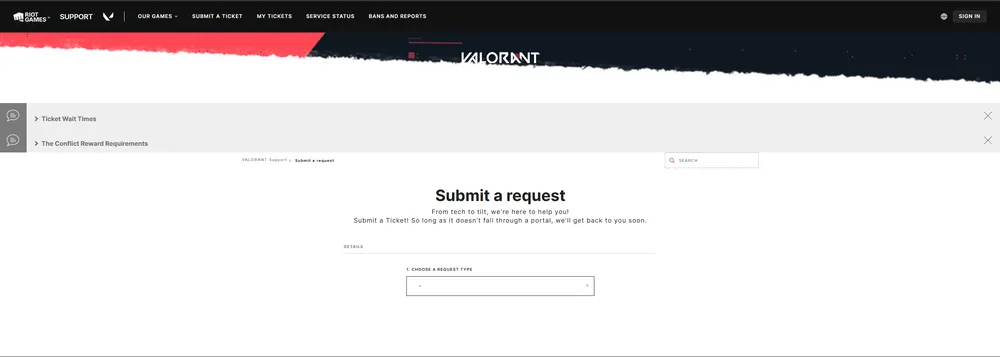
Important: The export summarizes how many times you were reported and for what (e.g., verbal abuse, cheating), but does not disclose who reported you. The “aggregate” wording is deliberate. Valorant Support
Step-by-step: How to request your VALORANT data (including report history)
-
Go to VALORANT Support → Submit a ticket
Open the official support portal and start a new ticket. Valorant Support -
Pick the right category
Choose the option for account management / data requests / deletion, then select Request my account data. (Riot notes that even if you request for one game, your export will include data for your other Riot titles on the same account.) -
Verify you’re the account owner
Riot may ask for basic account info to confirm identity before processing. -
Riot processes the request
Riot states data requests are fulfilled within 30 days, per privacy obligations. You’ll receive an email with a link to download a zipped report. Note: changing your email or password during processing cancels the request automatically. -
Open the download and find report history
Extract the ZIP and look for files that reference reports or report history. Expect aggregate counts (and reasons) for the last 3 months / 100 games; do not expect reporter identities.
What you’ll see vs. what you won’t
-
You’ll see:
-
Total reports you received, grouped by reason and bound to the last 3 months / 100 games.
-
Your outgoing reports (how many you filed, by reason).
-
Recent text chat logs and, when preserved for investigations, voice transcripts/recordings.
-
-
You won’t see:
-
The names/IDs of players who reported you
-
Tips for reading your export
-
The files are text/JSON, Riot recommends using a modern OS or a text editor like Notepad++ if your default editor struggles with large files. Although you could definitely get away with the normal Notepad, as that is what we used too.
-
Voice sections may be blank or incomplete if no relevant investigation occurred, that’s normal.