

Best Valorant Trackers: Tracker Network vs. Blitz vs. Valtracker
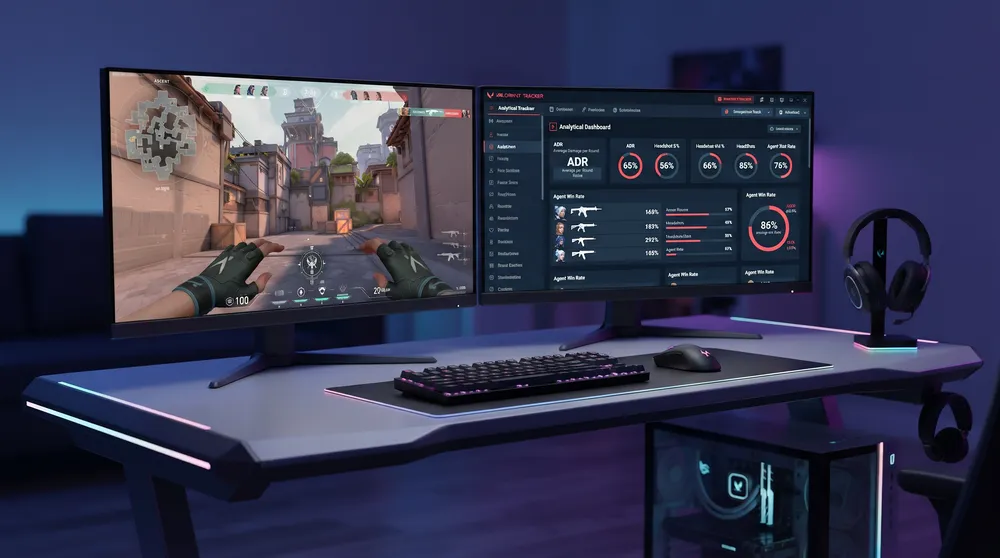
Riot Games provides basic post-match reports inside the native career tab, but reviewing only your last ten games gives you a narrow snapshot of your competitive trajectory. The default interface hides vital analytical metrics such as round-by-round ADR (Average Damage per Round), first blood conversion rates, and map-specific win ratios. To identify tactical blind spots, competitive players routinely turn to third-party tracking applications.
Alongside locking in your reticle settings through our circle crosshair guide for precision, having real-time data overlays running during agent select helps you adapt your drafting and utility investments before round one begins.
Here is the operational breakdown comparing the three dominant tracking tools available for Valorant: Tracker Network (Tracker.gg), Blitz.gg, and Valtracker.
Tracking Client Comparison Matrix
| Feature | Tracker.gg (TRN) | Blitz.gg | Valtracker |
| Platform Availability | Desktop Client + Web + Mobile | Desktop Client + Web | Lightweight Desktop Client / Discord Bot |
| In-Game Overlay | Yes (Live scoreboard & agent select) | Yes (Tactical lineup tips & minimap) | Yes (Minimalist HUD) |
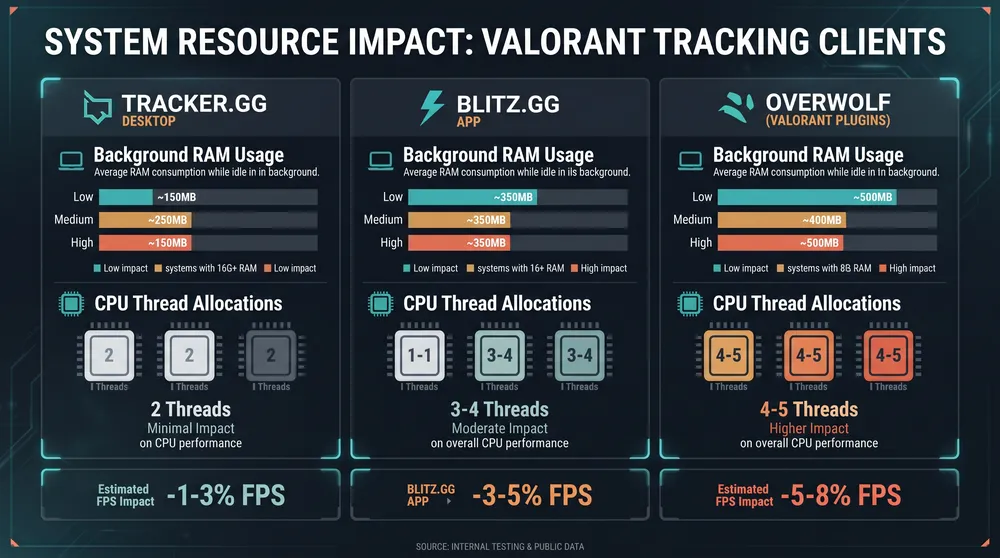
| Resource Footprint | Moderate (Overwolf / Standalone) | High (Overlay consumes background RAM) | Very Low (Optimized for budget setups) |
| Riot API Compliance | 100% Whitelisted via Vanguard | 100% Whitelisted via Vanguard | 100% Whitelisted via Vanguard |
| Primary Strength | Historical depth & global leaderboards | In-game agent guides & ability lineups | Fast boot times & low system overhead |
1. Tracker Network (Tracker.gg): The Standard for Analytical Depth
The Tracker Network client remains the benchmark for statistical volume. By logging in via your official Riot ID, Tracker.gg establishes a persistent record of every competitive act, tournament bracket, and unrated match you play:
-
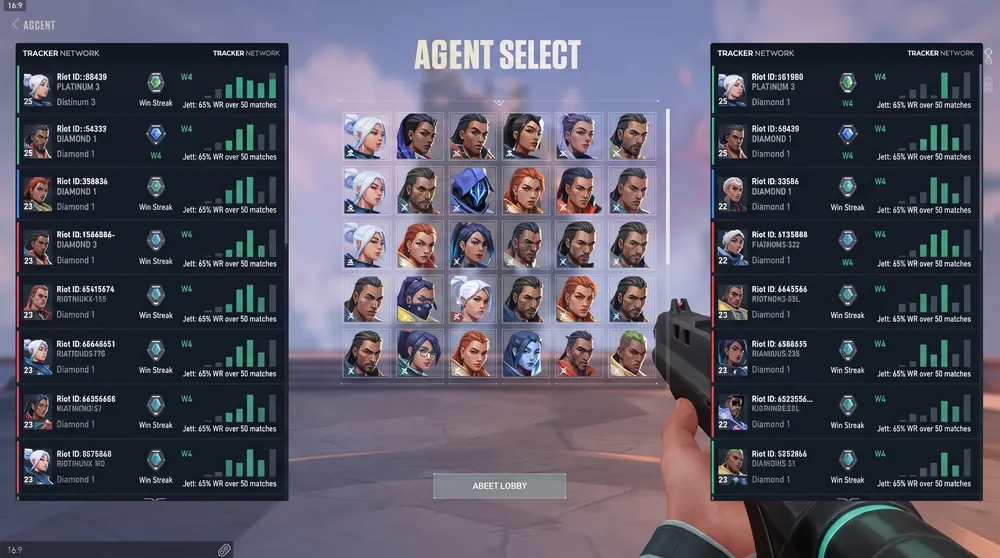
Live Match Intelligence: During the agent selection phase, the TRN desktop overlay reveals your teammates' current ranks, recent win/loss streaks, and primary agent comfort picks, letting you dodge unproductive compositions or adjust your role accordingly.
-
Deep Metric Filtration: Filter your career performance by weapon archetype (Vandal vs. Phantom headshot percentages), attacking versus defending round win rates, and plant-site conversion rates across specific map rotations.
-
Mobile Companion App: Tracker.gg offers a mobile app on iOS and Android, allowing you to review post-match graphs and opponent profiles away from your PC.
2. Blitz.gg: The Best In-Game Utility Companion
If your primary objective is on-the-fly learning rather than parsing spreadsheets, Blitz.gg focuses on real-time assistance:
-
Integrated Lineup Overlays: Blitz features a built-in lineup viewer. If you play Initiators or Controllers like Sova or Viper, pressing an assigned hotkey displays visual markers on your screen showing where to aim recon bolts or toxic screens on your current map.
-
Auto-Import Pro Profiles: Blitz enables instant synchronization of crosshairs and sensitivity values used by Tier-1 professional competitors directly into your local profile.
-
The Hardware Caveat: Because Blitz runs extensive graphical overlays and real-time screen hooks, it carries the heaviest memory footprint of the three apps. Players using entry-level laptops or older processors may experience minor micro-stutters during heavy gunfights while the application is active in the background.
3. Valtracker: The Lightweight Alternative
For players who want essential match tracking without the bloat of multi-game launchers, Valtracker provides a streamlined experience:
-
Minimal System Draw: Valtracker is engineered specifically for low-end hardware configurations. It bypasses heavy framework bloat, consuming minimal system memory while you play.
-
Discord Integration: Valtracker features a popular companion bot that automatically publishes match summary scorecards, rank-up notifications, and weapon statistics directly into private Discord team servers.
-
Clean Interface: If you only need to verify your current match rating (RR) progression, recent combat score averages, and current lobby ranks, Valtracker delivers those figures without unnecessary pop-ups or advertising banners.
Can Using a Stat Tracker Trigger a Vanguard Ban?
A frequent concern among players installing third-party overlays is whether Vanguard anti-cheat flags these tools as unauthorized software:
-
Official API Endpoints: Verified tracking tools like Tracker.gg, Blitz, and Valtracker pull game data exclusively through Riot Games' official third-party API framework.
-
Zero Memory Injection: These clients read telemetry data published by Riot servers; they do not modify local game memory, alter texture files, or provide wallhack vision on hidden targets.
-
Safe Installation Rule: As long as you download approved builds directly from the official developer portals, stat tracking tools operate within Riot's terms of service without risking account bans.


